
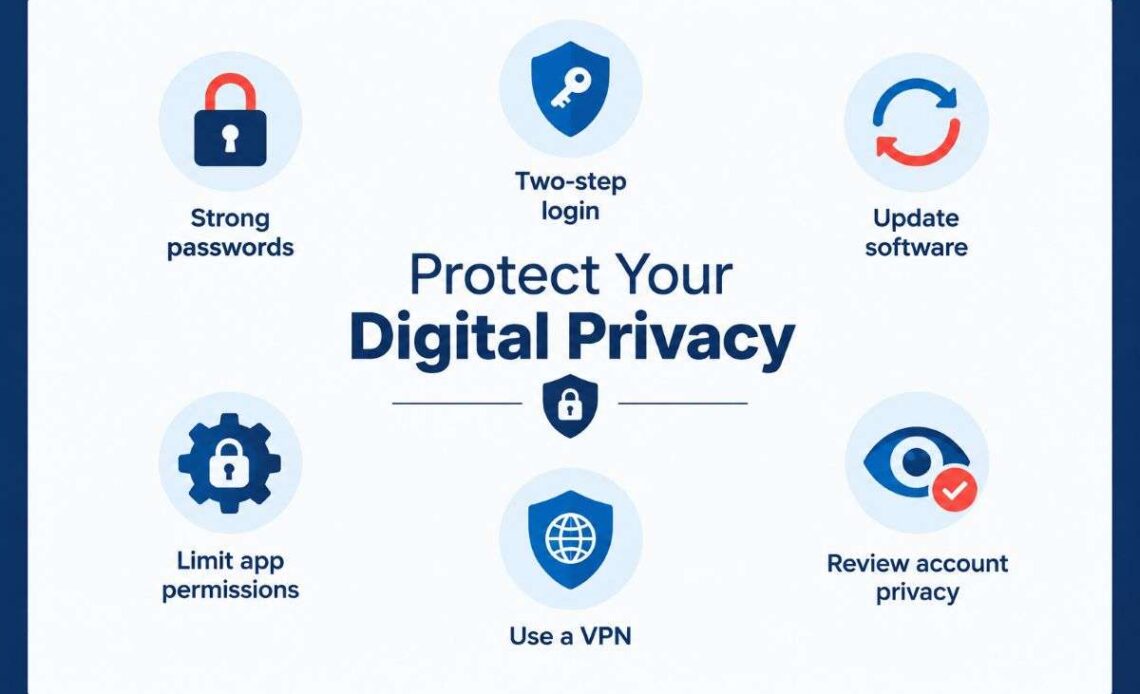
Your phone, laptop, social media accounts and everyday apps collect more personal information than you might realise. From location history and browsing activity to saved payment details, photos and contact lists, your digital footprint can reveal a great deal about your daily life.
Protecting your digital privacy is not simply about avoiding hackers. It also means understanding what information companies collect, controlling which apps can access your data and deciding how much personal information you share online.
The good news is that you do not need expensive software or advanced technical knowledge to improve your privacy. A few changes to your account settings, device permissions, passwords and browsing habits can make a meaningful difference.
This guide explains how to protect your personal information across smartphones, computers, apps, websites and online accounts, with practical advice for everyday internet users in the United States.
Table of Contents
What Is Digital Privacy and Why Does It Matter?
Digital privacy is your ability to control how your personal information is collected, stored, used and shared across digital services.
Your information can include:
- Your name, email address and phone number.
- Location history and browsing activity.
- Photos, videos and personal messages.
- Financial information and payment details.
- Search history and online shopping habits.
- Health information and personal interests.
- Information collected through connected devices.
Every time you install an app, create an online account, visit a website or connect a smart device, you may share information with a service provider or third party.
Some data collection is necessary to make services work. For example, a navigation app needs location access to provide directions. However, a simple game may have little reason to access your contacts or microphone.
The main principle is data minimisation: share only the information a service genuinely needs.
Digital privacy also matters because exposed personal information can contribute to identity theft, financial fraud, unwanted tracking and targeted scams. The Federal Trade Commission (FTC) provides consumer guidance on how websites and apps collect and use personal information.
Protect Your Digital Privacy: 9 Essential Tips
1. Review App Permissions on Your Smartphone
Smartphone apps often request access to information and features that go beyond their basic functions. Reviewing these permissions is one of the easiest ways to improve your privacy.
Start by checking which apps can access your:
- Location.
- Camera and microphone.
- Contacts and calendar.
- Photos and videos.
- Bluetooth and nearby devices.
- Files and personal information.
On an iPhone: Open Settings, select Privacy & Security and review the individual permission categories. You can also check Tracking to control whether apps can request permission to track your activity across other companies’ apps and websites.
On Android: Open Settings and look for Privacy or Security & Privacy. The Privacy Dashboard shows which apps have accessed certain permissions, while Permission Manager lets you change access.
Apple and Google provide built-in controls for reviewing and changing these permissions.
A useful approach is to allow location access only while an app is being used, where possible. You can also choose approximate rather than precise location if the app does not need your exact position.
2. Use Strong Passwords and Multi-Factor Authentication
Your online accounts contain valuable personal information. If someone gains access to your primary email account, they may also be able to reset passwords for other services.
Start by giving every important account a unique password. Avoid using the same password for email, banking, shopping and social media.
A reputable password manager can generate and securely store long, unique passwords, so you do not have to remember each one.
You should also enable multi-factor authentication (MFA) wherever it is available. MFA requires an additional verification step when someone attempts to access your account.
Common options include:
- Authentication applications.
- Passkeys.
- Physical security keys.
- Verification codes sent by text message.
Passkeys and hardware security keys offer stronger protection against phishing than traditional passwords and many code-based methods. CISA recommends phishing-resistant authentication where available.
Prioritise your email, banking, financial services, cloud storage and social media accounts.
3. Protect Your Privacy on Social Media
Social media platforms can reveal personal details through your posts, photographs, profile information and interactions.
Even if you have a private account, information can still reach people outside your intended audience through screenshots, shared posts or other users.
Review the privacy settings on platforms such as Facebook, Instagram, TikTok, X and LinkedIn.
Pay particular attention to:
- Profile visibility: Limit who can see your personal details and posts.
- Location sharing: Avoid revealing your live location unnecessarily.
- Friend and follower lists: Restrict who can view your connections where possible.
- Photo tagging: Review settings that allow other people to tag you.
- Search visibility: Check whether your profile can appear in external search results.
- Advertising preferences: Review options for personalised advertising and data sharing.
Think carefully before publishing photographs of your home, travel plans, workplace or personal documents. Small details in public posts can sometimes reveal more than you intended.
You do not need to stop using social media. The goal is to decide what information should remain public and what should be visible only to people you trust.
4. Secure Your Laptop, Computer and Other Devices
Protecting your digital privacy requires more than securing your online accounts. Your devices also store personal files, browsing information, saved passwords and private conversations.
Follow these basic precautions:
- Install software updates promptly. Operating system and application updates often fix security weaknesses that attackers could exploit. Enable automatic updates when practical.
- Use a screen lock. Protect smartphones, tablets and computers with a strong PIN, password or supported biometric authentication.
- Enable device encryption. Check that your device uses built-in storage encryption, particularly if it contains financial records, personal photographs or confidential documents.
- Enable remote tracking and wiping. Apple’s Find My and Google’s Find Hub-related device protection features can help you locate a missing device and, where supported, erase its data remotely.
- Remove unused applications. Old apps may retain permissions or account access that you no longer need.
- Secure your home Wi-Fi. Change default router administrator credentials, use WPA2 or WPA3 security where supported, and install available firmware updates.
The FBI also recommends reviewing device permissions, enabling remote-wipe features and keeping software updated. (
5. Improve Browser Privacy and Reduce Online Tracking
Web browsers collect and store information about the websites you visit. Cookies, advertising trackers and other tracking technologies can help companies understand browsing behaviour and personalise advertisements.
You can reduce unnecessary tracking by adjusting your browser settings.
Consider these steps:
- Block third-party cookies where supported.
- Enable tracking protection.
- Review website permissions.
- Delete unnecessary browsing data periodically.
- Limit personalised advertising.
- Avoid accepting unnecessary cookies on websites.
Browsers such as Google Chrome, Mozilla Firefox, Apple Safari and Microsoft Edge provide different privacy controls.
Private browsing or incognito mode can be useful when you do not want browsing history and cookies saved in the usual way on your device. However, it does not make you anonymous. Websites, employers, internet service providers and network administrators may still be able to observe certain online activity.
A Virtual Private Network (VPN) can encrypt traffic between your device and the VPN provider, which can be useful on untrusted networks. However, it does not prevent every form of tracking or stop a VPN provider from potentially seeing connection information.
Choose privacy tools based on what they actually protect rather than assuming one setting or application makes all your browsing private.
6. Be Careful About the Information You Share With Online Services
Not every privacy risk comes from hackers. Sometimes, personal information is shared voluntarily without fully understanding how a service will use it.
Before signing up for a new website, app or online service, check its privacy policy.
Look for answers to these questions:
- What personal information does the service collect?
- Does it share information with advertising partners?
- How long does it retain your information?
- Can you download or delete your data?
- Does it offer meaningful privacy controls?
Pay attention to the information you enter into AI chatbots and other AI-powered applications, too. Avoid submitting passwords, financial account details, confidential business documents or sensitive personal information unless you understand the service’s data handling and privacy controls.
The same caution applies to online surveys, personality quizzes and free applications that request unnecessary personal details.
A useful rule is to provide the minimum information needed to use a service.
7. Reduce Your Digital Footprint and Check Data Broker Listings
Your digital footprint includes information you knowingly publish and information collected through your online activity.
Some people-search websites and data brokers collect information from public records and other sources, then make personal details available through searchable databases.
This information may include your name, previous addresses, phone numbers and other identifying details.
To reduce your exposure:
- Search your name online to see what personal information is publicly available.
- Identify people-search websites displaying your details.
- Look for their privacy or opt-out procedures.
- Submit removal requests where available.
- Review your listings periodically.
The FTC explains that many people-search websites offer free opt-out procedures. However, removing one listing does not necessarily remove information from other websites or public records. Your details may also reappear if a site obtains updated information.
Some US states also provide residents with privacy rights, including rights to request access to, deletion of or limits on the sharing of certain personal information. The exact rights and requirements depend on the applicable state law and business.
8. Recognise Phishing and Protect Your Online Accounts
Phishing is a common way criminals attempt to steal passwords, financial information and personal details.
A fraudulent email or text may appear to come from a bank, delivery company, government agency or familiar online service.
Be cautious if a message:
- Demands immediate action.
- Claims your account will be suspended.
- Requests your password or verification code.
- Includes an unexpected attachment.
- Directs you to an unfamiliar login page.
- Offers a prize or financial reward that seems unrealistic.
Do not trust a message simply because it includes a familiar company logo. Instead, open the organisation’s official website or app directly and check whether the request is genuine.
Never share authentication codes with someone who contacts you unexpectedly. A legitimate support representative should not need you to reveal your one-time login code.
The FTC and FBI recommend verifying unexpected requests rather than following suspicious links or providing personal information.
9. What Should You Do If Your Personal Information Is Exposed?
A data breach does not automatically mean someone has stolen your identity, but it is a reason to act quickly.
If a company informs you that your information has been exposed:
- Read the breach notification to understand what information was affected.
- Change the exposed password immediately, including anywhere else you reused it.
- Enable MFA on affected accounts.
- Contact your bank if payment or financial information may have been exposed.
- Monitor financial statements and account activity.
- Follow the company’s recommended recovery steps.
If your Social Security number or other identifying information has been exposed, consider placing a free credit freeze with all three major US credit bureaus: Equifax, Experian and TransUnion.
A credit freeze makes it harder for someone to open new credit accounts in your name. It does not prevent fraud involving existing accounts, so continue monitoring your financial activity.
The FTC’s IdentityTheft.gov provides free recovery guidance for people affected by identity theft. Its data breach resource also explains what steps to take after personal information is exposed.
Frequently Asked Questions About Digital Privacy
What is the best way to protect digital privacy?
Start with unique passwords, MFA, regular software updates and restricted app permissions. Avoid sharing unnecessary personal information and review the privacy settings on your devices and online accounts regularly.
Can apps access my personal information without my knowledge?
Apps generally require operating-system permission to access protected information such as location, contacts, camera and microphone. However, the information you provide directly to an app may also be collected and processed under its privacy policy. Review permissions and data-sharing settings regularly.
Does a VPN protect my digital privacy?
A VPN encrypts traffic between your device and the VPN provider, helping protect your connection on certain networks. However, it does not make you completely anonymous or prevent websites from tracking you through cookies, account activity or browser fingerprinting.
How can I remove my personal information from the internet?
Start by reviewing your social media profiles, deleting unused accounts and submitting opt-out requests to people-search websites. You can also use available privacy controls to request deletion of personal information from companies covered by applicable US privacy laws. Complete removal from the internet is rarely possible.
Is public Wi-Fi safe for online banking?
Public Wi-Fi is not automatically unsafe, but unsecured networks can expose you to certain risks. Use trusted websites and applications, keep your devices updated and avoid sensitive transactions on networks you do not trust. A reputable VPN can provide additional protection for your connection.
Final Thoughts
Protecting your digital privacy is an ongoing process, not a one-time setting you enable on your phone. Every app, online account and connected device creates opportunities for personal information to be collected or shared.
Start with the essentials: review app permissions, strengthen your passwords, enable multi-factor authentication and limit the information you publish online. Then gradually improve your browser, device and account privacy settings.
You do not have to disconnect from the internet to protect your personal information. You simply need greater control over what you share, who can access it and how your digital identity is managed.